7 Best 3D Filament Printers to Buy in 2026?
Choosing a 3d filament printer in 2026 is less about chasing the biggest speed number and more about getting dependable results on your desk. A glossy product page cannot tell you whether a printer will handle a small text label, a broad flat panel, or a long overnight job without fuss. Those details matter.
Industry analyst Terry Wohlers has emphasized evaluating 3D printing through real applications. This guide turns that principle into a practical rule: “Buy for the parts you will print, not the speed printed on the box.” That sentence is our editorial summary, not a verbatim quotation from Wohlers. It points to what buyers can actually compare: print consistency, material compatibility, setup demands, noise, repair access, and the cost of routine supplies.
Small details count. A tangled filament spool, a clogged nozzle, or a first layer peeling at one corner can waste an evening. The best choice depends on your workspace and patience, too. A beginner may value guided setup and clear instructions, while an experienced maker may prefer adjustable settings and upgrade options. Neither approach is automatically better. And no printer is perfect.
This introduction leads into seven 2026 contenders, assessed for practical strengths and trade-offs rather than marketing claims alone. We look at who each machine suits, what its features mean during ordinary use, and where buyers should pause before spending. Specifications can change, and real-world results vary with materials and settings. Check current manufacturer details before ordering.
How Filament 3D Printers Work and What Makes Them Different
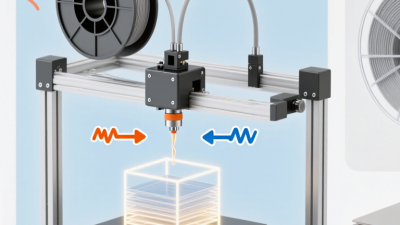
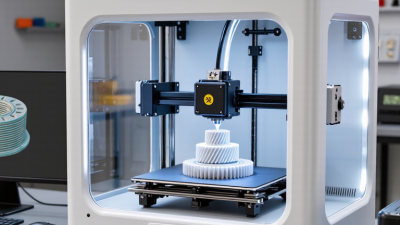
A filament 3D printer feeds a spool of thermoplastic through drive gears and a heated nozzle. The nozzle lays down a thin, softened bead along a digital toolpath. Each new layer cools and bonds to the one below it. The result is built from visible lines, not a single molded surface. That detail matters. Compared with resin printers, filament systems avoid liquid resin handling but may show more layer texture. Compared with powder-based systems, they use a simpler feedstock and usually need support structures for overhangs.
The Wohlers Report 2024 estimated that the entire additive manufacturing industry generated $20.035 billion in revenue in 2023, up 11.1% from 2022. That figure includes many technologies, not just filament printers, so it should not be read as a filament-market estimate. It does show how broad the field has become. In practice, print quality still depends on small variables: filament moisture, nozzle temperature, bed leveling, and cooling. A glossy product photo tells you little about those settings.
Tips: Keep filament sealed with desiccant, and check for brittle or crackling material. Level the build plate, then print a small test piece before a large part. Inspect the first layer closely. A tiny gap can spoil an otherwise careful job. Don’t rely on advertised speed alone; faster movement may trade detail for time.
Key Features to Compare When Choosing a Printer in 2026
A useful comparison starts with the materials you plan to print, not the largest speed claim. Standard filament suits many everyday parts, while tougher or heat-resistant materials may need a higher-temperature hotend and a controlled enclosure. Check the full temperature range, not just the advertised maximum. Small detail, big difference.
Build volume matters when a model must fit in one piece, but a larger printer also needs more desk space and can take longer to warm up. Look for a heated bed with even surface coverage; uneven adhesion can leave a corner lifting during a long print. A flexible build plate helps with removal, though it still needs careful cleaning. I’d compare sample dimensions with the objects you actually intend to make.
Automatic bed leveling can reduce setup time, but it does not fix every first-layer problem. Ask whether the printer has a filament runout sensor, power-loss recovery, and a clear way to adjust belt tension. These features are practical during overnight jobs. Review noise levels and replacement-part access, too. A fast machine is less appealing if a clogged nozzle is difficult to reach. I’d also weigh support documentation and warranty terms; those details are easy to overlook when comparing impressive specifications.
Seven Filament 3D Printers for Different Users and Projects
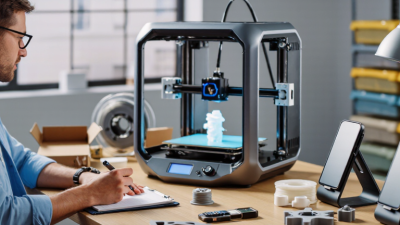
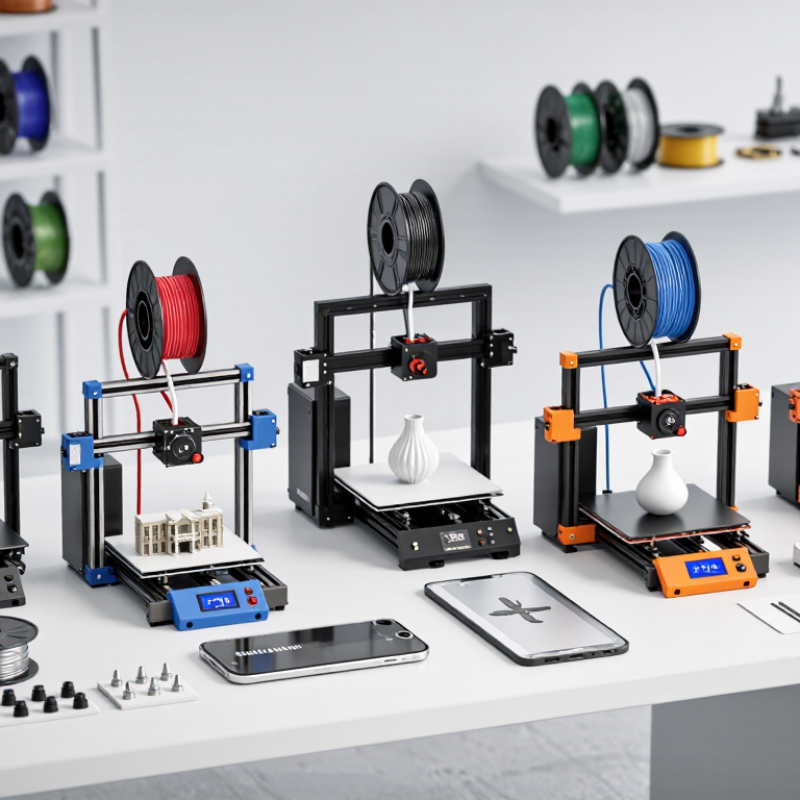
Filament 3D printers suit very different needs, so the best choice depends on what you plan to make. A beginner-friendly open-frame printer can handle brackets, organizers, and simple toys without a steep learning curve. Look for clear setup instructions and a build plate that is easy to remove. Small details matter. An enclosed printer is better for temperature-sensitive materials and drafty rooms. Its doors help keep heat steady, though the enclosure can make access less convenient. A high-speed printer saves time on larger batches, but fast movement may increase noise and visible surface imperfections.
For helmets, display pieces, or oversized prototypes, a large-format printer offers more room. Check the full machine footprint, not just the advertised build area. A dual-extrusion model can print with two materials, such as a part and its support structure. It can also need extra calibration. Multi-material systems let users add color changes or combine filament types, but waste and setup time can creep up. Worth considering, not always worth the cost.
A compact, quiet printer may suit a shared office or small apartment. It usually trades build volume for a smaller footprint. Before buying, compare replacement-part availability, supported filament sizes, and how easily the printer handles routine maintenance. A quick print sample can reveal rough corners or weak bridges. Specifications help, but they do not tell the whole story. A polished demo model may not reflect everyday results.
7 Best 3D Filament Printers to Buy in 2026? - Seven Filament 3D Printers for Different Users and Projects
A practical comparison of seven filament-printer types. Build-volume figures are representative size ranges, not specifications for a particular product; capabilities vary by machine configuration.
| Printer type | Typical build volume (mm) | Best suited to | Common filament choices | Key advantage | What to check before buying |
|---|---|---|---|---|---|
| Entry-level open-frame FDM | 180–220 × 180–220 × 180–250 | Beginners, hobby projects, and small functional parts | PLA; PETG when the hotend and build surface support it | Simple setup and an accessible way to learn FDM printing | Assembly needs, bed leveling, safety features, and whether the hotend contains a PTFE tube |
| Enclosed CoreXY printer | 220–300 × 220–300 × 220–300 | Regular users who want a more controlled printing environment | PLA and PETG; ABS or ASA only if the machine is designed for enclosed printing | An enclosure can reduce drafts and help limit warping on suitable materials | Ventilation, chamber temperature limits, and whether the enclosure is actively heated |
| High-speed CoreXY printer | 220–300 × 220–300 × 220–300 | Users making frequent prototypes and short production runs | PLA and PETG; specialty filaments depend on the hotend and extruder | A rigid motion system can support faster printing when cooling and material flow keep up | Compare real print profiles, noise, maintenance, and print quality—not just advertised maximum speed |
| Multi-color, single-nozzle printer | 200–300 × 200–300 × 200–300 | Decorative models, signs, and parts with color changes between layers | Usually multiple compatible spools of PLA or PETG | Can print several filament colors through one nozzle | Filament changes can add print time and purge waste; check material compatibility and spool handling |
| Dual-extruder or tool-changing printer | 250–350 × 250–350 × 250–350 | Multi-material parts, soluble supports, and frequent material changes | Material combinations supported by the machine; soluble support filament requires compatible hardware | Separate tools can reduce the need to purge one filament before switching to another | Check nozzle alignment, support in the slicer, tool-change reliability, and the usable build area |
| High-temperature enclosed printer | 250–400 × 250–400 × 250–400 | Engineering parts and users working with demanding polymers | ABS, ASA, nylon, or polycarbonate only when the full machine setup supports the material | Higher-capability hotends and controlled enclosures can broaden material options | Verify nozzle, bed, and chamber limits; use appropriate ventilation and dry moisture-sensitive filament |
| Large-format FDM printer | 350–600 × 350–600 × 350–700 | Oversized props, enclosures, furniture components, and large prototypes | PLA or PETG for many large parts; other materials depend on the printer’s enclosure and hotend | Can print larger parts in fewer sections | Allow for footprint, power use, bed-heating time, and the increased effect of warping on large prints |
Comparing Print Quality, Speed, Materials, and Build Volume
When comparing 3D filament printers for 2026, judge print quality using details you can see: clean corners, smooth curves, and consistent layers. A sharp-looking sample matters more than a long list of specifications. Speed deserves scrutiny, too. Fast settings may produce visible ringing or rough edges, especially on tall, narrow parts. Check whether the printer maintains quality at the speeds you expect to use.
Material support should match your actual projects. PLA suits many everyday objects, while flexible or heat-resistant filaments can require different settings and hardware. Confirm the recommended nozzle temperature, build-surface needs, and enclosure guidance before buying. Build volume is another trade-off. A larger bed can fit bigger parts, but it takes more desk space and may need longer to heat. Bigger is not always better. I’d still leave room for a learning curve; advertised compatibility does not guarantee effortless results.
Tips: Compare test prints made with similar materials and layer heights. Look closely at overhangs and small text. Check the usable build area, not just the headline dimensions, and review replacement-part availability. If possible, budget for a few calibration prints; they can reveal issues that a polished product photo hides.
How to Match a Printer to Your Budget and Printing Needs
Choosing a filament printer starts with the parts you actually plan to make. Small desk organizers and brackets need less build volume than cosplay pieces or full-size prototypes. Measure your largest planned object, then leave room for a brim and supports. A larger machine can be tempting, but it also takes more space and may cost more to maintain.
Budget for the whole setup, not just the printer. Include filament, spare nozzles, build-surface replacements, and failed prints. A beginner may value automatic bed leveling and clear setup instructions more than extreme print speed. If you print in a shared room, check noise and whether the machine has an enclosure. PLA is often a practical starting material; tougher materials can require more careful temperature and ventilation planning. Small details matter.
Wohlers Associates reported that the global additive manufacturing industry reached $20.035 billion in 2023, growing 11.1% from 2022 in its Wohlers Report 2024. That growth shows expanding adoption, not that every home user needs a premium machine. Match features to frequency: occasional prints call for dependable basics, while daily prototyping may justify faster motion and easier maintenance. I would still compare real-world print samples, warranty terms, and replacement-part availability. Spec sheets can mislead. A printer that is difficult to calibrate may turn a low purchase price into wasted weekends.