Why Choose a Home 3D Printer for Your Business?

Choosing a home 3D printer for business is no longer a hobbyist decision. It can become a practical production asset.

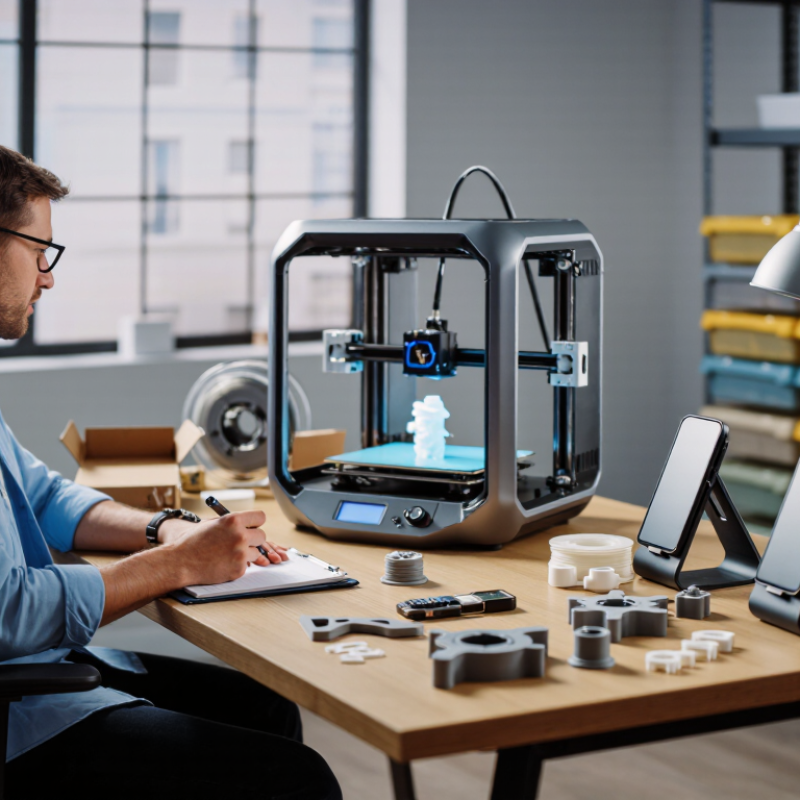
A compact machine can sit beside a designer’s desk, printing prototypes before lunch. It can also produce custom brackets, product samples, replacement parts, and small retail batches. This shortens feedback cycles and reduces dependence on distant suppliers. For many small businesses, that flexibility matters more than impressive print speed.

Josef Průša, founder of Prusa Research, has described 3D printing as “a tool for turning digital ideas into physical objects.” That perspective is useful. A home 3D printer does not replace skilled planning, material knowledge, or quality control. It supports them.

The advantages become clearer when the workflow is specific. A product developer can test three enclosure shapes in one afternoon. A craft seller can personalize a phone stand without ordering hundreds of units. A repair business can model a discontinued plastic cover from careful measurements. These examples show how local production can protect time and reduce inventory pressure.

Still, the choice deserves honest reflection. Entry-level printers may require calibration, maintenance, ventilation, and patient troubleshooting. Some materials need controlled temperatures and careful storage. Printed parts may also lack the strength, finish, or certification required for professional applications. That limitation matters.

Start small.

Compare total costs, not only the printer price. Include filament, software, failed prints, electricity, labor, and safety equipment. A thoughtful business owner tests one repeatable use case before expanding. The best home 3D printer is not always the fastest model. It is the machine that reliably solves a real business problem.
Why Choose a Home 3D Printer for Your Business?

What Is a Home 3D Printer for Business Use?

A home 3D printer for business use is a compact manufacturing tool designed for a workspace, studio, or small office. It creates physical objects from digital 3D files, usually layer by layer. Unlike industrial systems, it fits on a sturdy desk and requires limited setup. Small businesses use these printers for product prototypes, display models, custom fixtures, packaging tests, and replacement parts.

In daily work, the printer can shorten design cycles. I have found that checking the first layer saves more time than rushing into a full print. A loose cable, uneven platform, or damp material can ruin several hours of work. Print quality depends on calibration, ventilation, material storage, and realistic design settings. It is not magic. Some parts still need sanding, drilling, or careful inspection before delivery. Businesses should also protect customer data and use only authorized digital designs.

Tips: Start with small test pieces. Keep materials sealed and labeled. Record temperature, print speed, and errors after each job. Place the printer on a stable, heat-resistant surface with suitable ventilation. Review local workplace rules before regular operation. Never assume a successful prototype is ready for demanding use. Test strength, fit, and surface quality under real conditions.

Why Choose a Home 3D Printer for Your Business?

Typical Cost Structure of a Desktop FDM Print

A home 3D printer can reduce small-batch production costs by combining affordable thermoplastic material, low electricity use, and limited machine overhead. For a typical 100-gram desktop FDM print, material is usually the largest cost, while electricity remains a relatively small part of the total. Actual costs vary with print duration, material price, local electricity rates, labor, and equipment maintenance.

Planning assumptions: 100 g of filament at $25 per kg, 0.12 kWh of electricity at $0.16 per kWh, and estimated labor and maintenance allocations for small-business production.

Which Business Needs Can a Home 3D Printer Address?

Why Choose a Home 3D Printer for Your Business?

Which Business Needs Can a Home 3D Printer Address?

A home 3D printer can support rapid prototyping, custom fixtures, product samples, and small replacement parts. A designer can print a hand-sized enclosure before ordering expensive tooling. A repair team can test a cable guide at the workbench, not days later from an outside supplier. Keep it local. This shortens feedback loops and protects working files during early development.

The Wohlers Report 2024 valued the global additive manufacturing industry at $20.035 billion in 2023, after 13.5% growth. Sculpteo’s State of 3D Printing 2023 reported that 90% of surveyed users saw 3D printing as a competitive advantage. These figures describe the wider industry, not every desktop machine. That distinction matters. A home printer cannot replace certified production equipment, advanced inspection, or controlled material processing. It can still handle low-volume work effectively, especially when product dimensions are modest and changes happen often.

Practical value appears in small details. A café may print a storage divider that fits one narrow drawer. An engineering office may produce ten ergonomic mock-ups for a morning review. A small manufacturer can trial a drilling guide before machining aluminum. Material choice, ventilation, dimensional accuracy, and maintenance require documented procedures. My own cautious view is simple: buying the printer is easy; building a repeatable workflow is harder. Test calibration, record failures, and question whether outsourcing remains cheaper for larger batches.

How Does a Home 3D Printer Improve Production Efficiency?

A home 3D printer can turn a production delay into a same-day test. In a small workshop, teams can print a fitting, bracket, or packaging insert beside the design desk. This shortens the distance between an idea and a physical trial. A digital file reaches the printer in minutes, while a local supplier may need several days. The gain is not just speed. Designers can hold the part, check clearances, and adjust holes before approving a final order. Small batches become more practical too. Keep records.

Efficiency depends on a controlled routine. Use a written material list, standard print settings, and a simple inspection sheet. Record nozzle condition, layer height, print time, and failed attempts. These details reveal recurring waste. For example, loose support may add an hour and weaken a thin edge. A revised orientation can reduce both problems. A printer also supports low-volume jigs, drill guides, and custom fixtures. These tools can make repetitive assembly faster and more consistent. They should still be tested against workplace safety requirements and the intended load.

The limits deserve attention. Home equipment is not equally accurate every day, especially when temperature, moisture, or calibration changes. Do not treat a printed prototype as a certified production component without testing. My early workflow was too optimistic; I underestimated cooling time and post-processing. That mistake caused avoidable rework. Scheduled maintenance, spare consumables, and approval checkpoints improve reliability. The best results come when printing supports skilled decisions, rather than replacing them.

Why Choose a Home 3D Printer for Your Business? - How Does a Home 3D Printer Improve Production Efficiency?

Practical comparison of desktop 3D printing and external production for small-batch business needs

Efficiency Dimension External Production or Retail Purchase Home Desktop 3D Printer Business Benefit
Typical lead time for a prototype Several days to several weeks, depending on supplier capacity and shipping Same day to a few days for many small parts Shortens design-test-revise cycles and supports faster product validation
Production flexibility Changes may require a new quotation, tooling adjustment, or supplier approval Digital files can be modified and printed without new tooling Makes customized, low-volume, and made-to-order production more practical
Suitable production volume Generally more economical for larger, repeatable production runs Best suited to prototypes, fixtures, replacement parts, samples, and small batches Avoids committing to large minimum order quantities for uncertain demand
Tooling requirement May require molds, machining fixtures, or other dedicated tooling No dedicated mold is required for each design iteration Reduces upfront preparation time and tooling expenditure for one-off parts
Material options Depends on the supplier’s available processes and material inventory Common desktop systems support materials such as PLA, PETG, ABS, ASA, TPU, or photopolymer resin, depending on printer type Allows material selection to match strength, flexibility, appearance, and temperature requirements
Cost structure Often includes service fees, setup charges, shipping, and supplier margin Requires equipment, materials, electricity, maintenance, and operator time Provides more predictable unit economics for recurring small-part production
Inventory management Finished parts may need to be ordered and stored in advance Parts can be produced when needed from stored digital files Supports on-demand production and can reduce physical inventory for slow-moving parts
Customization capability Customization can increase quotation time and per-unit cost Dimensions, text, fit, and geometry can be changed directly in the CAD file Enables personalized products and rapid response to customer requirements
Quality control Quality checks may occur outside the business and can be less visible during production The operator can inspect settings, layers, dimensions, and post-processing directly Improves process visibility and helps identify design or print issues earlier
Workforce utilization Staff may spend time coordinating suppliers, quotations, revisions, and deliveries Routine prints can run with limited hands-on intervention after setup Allows staff to focus on design, assembly, customer service, and other higher-value tasks
Best business applications High-volume parts, certified components, complex industrial processes, and specialized finishes Prototypes, jigs, brackets, product samples, packaging aids, educational models, and replacement parts Matches production method to the scale, urgency, and customization level of the job
Main operational limitation Higher coordination dependence and potentially longer response times for small changes Requires safe ventilation where applicable, regular maintenance, calibration, and trained operation A clear workflow and realistic material and quality expectations are essential for reliable results

Note: Actual results vary with printer type, part geometry, layer height, material, operator skill, post-processing requirements, labor rates, and production volume. Desktop 3D printing is generally most efficient for prototypes, customized products, fixtures, and low-volume parts rather than mass production.

What Costs and Limitations Should Businesses Consider?

A home 3D printer can turn a design file into a physical prototype before lunch. For a small business, that speed may reduce outsourcing fees and shorten product testing cycles. Yet the purchase price is only the starting point. Budget for filament or resin, replacement nozzles, build plates, ventilation, and electricity. A reliable setup may also require a computer, design software, and measurement tools. These small expenses accumulate quietly.

Material costs vary widely, and failed prints consume both supplies and staff time. A warped enclosure or clogged nozzle can stop production during an urgent order. Someone must level the platform, remove supports, clean parts, and inspect dimensions. That labor is often ignored in optimistic cost estimates. I have found that simple parts are economical, while detailed parts can become surprisingly expensive. This is where calculations need honesty.

Home printers also have practical limits. They usually offer smaller build areas, slower output, and less consistent results than industrial equipment. Heat, noise, dust, and fumes may disturb a shared workspace. Quality can change with humidity, room temperature, settings, and operator skill. Keep written maintenance records and test samples before promising repeatable delivery. Do not assume every design is printable. A pilot project with ten representative parts can reveal hidden costs better than a spreadsheet. It may also show that outsourcing remains the wiser choice for larger batches.

How Can a Business Choose the Right Home 3D Printer?

Choosing a home 3D printer starts with the work, not the machine. A small design studio may need quick prototypes, while a repair business may require stronger functional parts. List your weekly print volume, preferred materials, and largest expected model. Measure the workspace too. A printer may fit on a desk, but its noise and heat can disturb daily work. Ventilation, fire safety, and stable power also matter. Speak with experienced users and read technical documentation before purchasing.

Compare build volume, layer resolution, print speed, material compatibility, and safety features. Check whether replacement parts and maintenance instructions are easy to access. Do not assume the highest resolution is always best. A larger prototype may matter more than tiny surface details. Calculate the full cost, including materials, failed prints, software, and maintenance. I once focused too much on print speed and underestimated setup time. That mistake delayed a simple product sample by two days.

Tips: Test before scaling.

Print three sample models. Use your real material. Record time, weight, noise, and failure points. Ask staff to operate the printer without help. If the process feels confusing, training costs may grow later. Keep a maintenance log. Review it monthly. A slightly slower printer can be more reliable for a busy home office.