What Is a 3D Filament Printer?
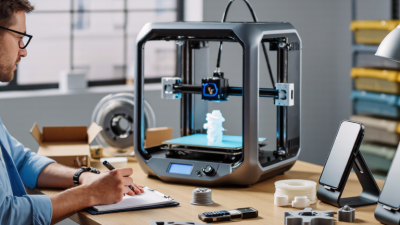
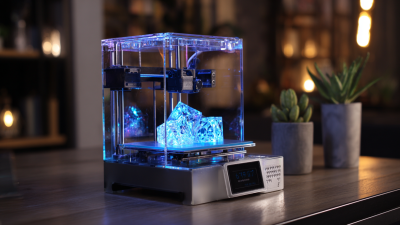
A 3D filament printer makes solid objects from a digital model by laying down thin strands of melted plastic. The material usually comes wound on a spool. A motor feeds it into a heated nozzle, which traces each layer across a build plate. The layers cool and bond as the object takes shape. Simple idea. Many moving parts.
Adrian Bowyer, founder of the RepRap project, used the phrase “self-replicating rapid prototyper” to describe RepRap, an influential open-source 3D-printing project. His work helped bring attention to affordable machines that can produce physical parts from digital designs. A 3d filament printer is one common way to do that. It can make a phone stand, a replacement knob, or a small prototype on a desk. It cannot print every shape or material equally well.
For beginners, the process involves more than pressing Print. You choose filament, such as PLA, load a model into slicing software, and set options like layer height and nozzle temperature. A finer layer can show more detail, but printing may take longer. A first print might have rough edges or fail to stick to the plate. That is useful feedback, not proof the machine is faulty. Filament printers are practical, but they have limits: parts can warp, supports may need removal, and printed strength depends on design and print direction. Knowing how the printer works makes those trade-offs easier to judge.
Definition and Core Principles of a 3D Filament Printer
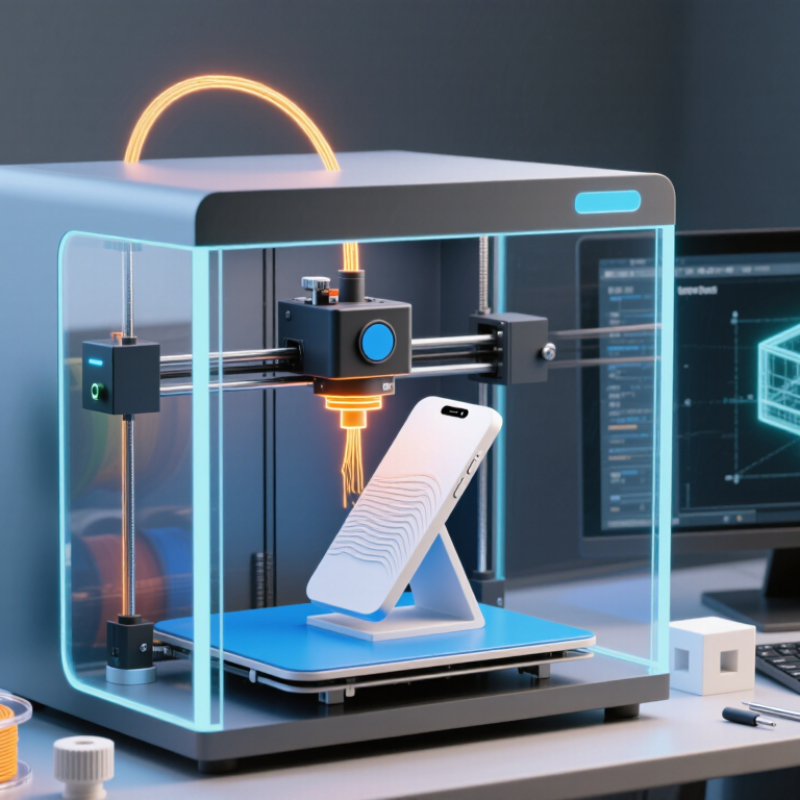
A 3D filament printer is a machine that turns a spool of thermoplastic filament into a solid object, one thin layer at a time. The filament enters a heated nozzle, softens, and is laid down along a programmed path. The nozzle then moves upward, repeating the process until the shape is complete. This method is commonly called fused filament fabrication, or FFF. The word “filament” describes the feedstock: a continuous strand, often about 1.75 millimeters wide, rather than liquid resin or powder.
The principle sounds simple. It isn’t. Reliable printing depends on coordinated motion, steady material flow, and controlled heat. A nozzle may run near 200°C for some common plastics, while the build plate helps the first layer grip. Too much heat can leave droopy edges; too little can create weak bonds between layers. The Wohlers Report 2024 estimated that global additive manufacturing revenues reached about $20.0 billion in 2023, up 11.1 percent. That figure covers the wider industry, not filament printers alone, but it shows the expanding role of layer-based manufacturing.
Tips: Check the first layer closely. If it looks uneven, pause and adjust the bed level or nozzle height before printing the whole part. Even experienced users miss this sometimes; a neat preview is no guarantee of a neat object.
Main Components and Their Functions
What Is a 3D Filament Printer?
Main Components and Their Functions
A 3D filament printer turns a digital model into an object by feeding plastic filament through a heated nozzle. Its frame holds the moving parts in alignment. A stable frame helps prevent wobble, which can leave visible ripples on printed walls. The spool holder supports the filament roll and lets it unwind smoothly. Small parts matter.
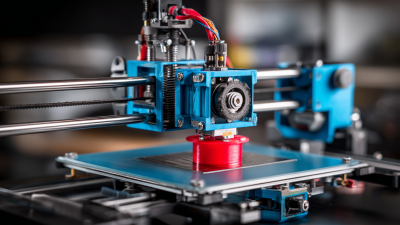
The extruder grips and pushes filament toward the hot end, where a heater softens it. The nozzle deposits the softened material in thin lines, layer by layer. Nozzle diameter affects detail and print speed, so a smaller opening is not automatically better. The build plate supports the object; some plates are heated to improve adhesion and reduce edge lifting. Motors and belts move the print head or platform along set paths, while control electronics coordinate those movements and regulate temperature. A cooling fan helps firm up fresh layers, especially on small details. Too much cooling can weaken layer bonding, though, and the right balance depends on the material and shape.
These systems need to work together. A loose belt, partially blocked nozzle, or uneven plate can spoil an otherwise sound model. The layout can also feel untidy, and cable routing is easy to overlook. Checking alignment and temperature settings before a print often saves time, but no setup removes every failed print. That takes patience.
What Is a 3D Filament Printer? — Main Components and Their Functions
A 3D filament printer, also called an FDM or FFF printer, melts thermoplastic filament and deposits it layer by layer to create an object.
Typical nozzle and heated-bed setpoints (°C). The chart shows approximate midpoints of common operating ranges; actual settings depend on the filament formulation and printer.
- Frame and motion system: Support the printer and move the print head or build plate accurately.
- Extruder: Feeds filament into the hotend at a controlled rate.
- Hotend and nozzle: Melt and deposit the filament. Common nozzle ranges are PLA 190–220°C, PETG 230–250°C, and ABS 240–270°C.
- Heated build plate: Supports the print and helps reduce warping. Common bed ranges are PLA 45–60°C, PETG 70–85°C, and ABS 90–110°C.
- Controller and cooling fans: Coordinate movement and temperature, while fans cool deposited material as needed.
How Filament Becomes a Printed Object
A 3D filament printer makes objects by feeding a thin plastic strand into a heated nozzle. The nozzle softens the material and places it onto a build surface in precise paths. After one path cools, the printer adds another layer above it. Repeated layers form the object, from its base to its top. You can often see these fine lines on the finished surface.
The process depends on steady movement, suitable heat, and a first layer that sticks well. A slicer turns a digital model into instructions, including the nozzle path and layer height. During printing, the filament unwinds from its spool and passes through the hot end. Temperature and material condition matter: damp filament may hiss or leave a rough surface. A lifted corner can spoil an otherwise tidy print. It is easy to blame the printer, but the cause may be a dirty bed or incorrect settings. Sometimes the cause is less obvious.
Tips: Keep the spool dry and check the material’s recommended temperature range. Watch the first few layers; they reveal poor adhesion early. Change one setting at a time. That makes troubleshooting clearer, though it can feel slow.
Common Filament Types and Their Properties
What Is a 3D Filament Printer?
Common Filament Types and Their Properties
A 3D filament printer melts thermoplastic wire and lays it down in thin, stacked paths. The filament matters: it affects strength, surface finish, heat resistance, and how forgiving a print is. PLA is easy to print and often gives crisp details, but softens in warm conditions. PETG bends more before breaking and handles moisture better, though stringing can leave fine hairs between parts. Small detail.
ABS tolerates more heat than PLA, but cooling can warp corners or split tall prints. Nylon is tough and abrasion-resistant; it also absorbs moisture from the air, so damp filament may hiss or leave a rough surface. TPU is flexible, making it useful for grips and bumpers, but its softness can slow printing and complicate feeding. None is “best” for every job.
Published test results show why settings and test methods matter. In a 2014 Materials & Design study, Tymrak, Kreiger, and Pearce measured average tensile strengths of 56.6 MPa for PLA and 28.5 MPa for ABS in their printed samples. Those figures describe specific materials and printer conditions, not every spool. That is an important limitation. For a practical choice, match the filament to the part’s heat, load, and exposure, then check its technical data sheet and test a small sample. Even a familiar material can behave differently with moisture, layer direction, or cooling.