Top 10 Tips for Using a 3D Printer Successfully?
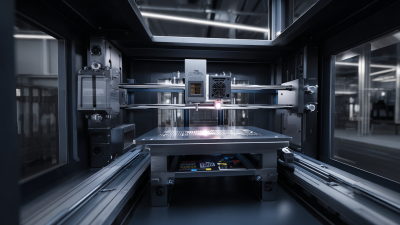
Using a 3D printer can open up a world of creativity and innovation. However, many beginners face challenges when starting their journey. Understanding the fundamentals of 3D printing is crucial. Common issues can arise, like misalignment or incorrect settings. It's essential to learn from these mistakes.
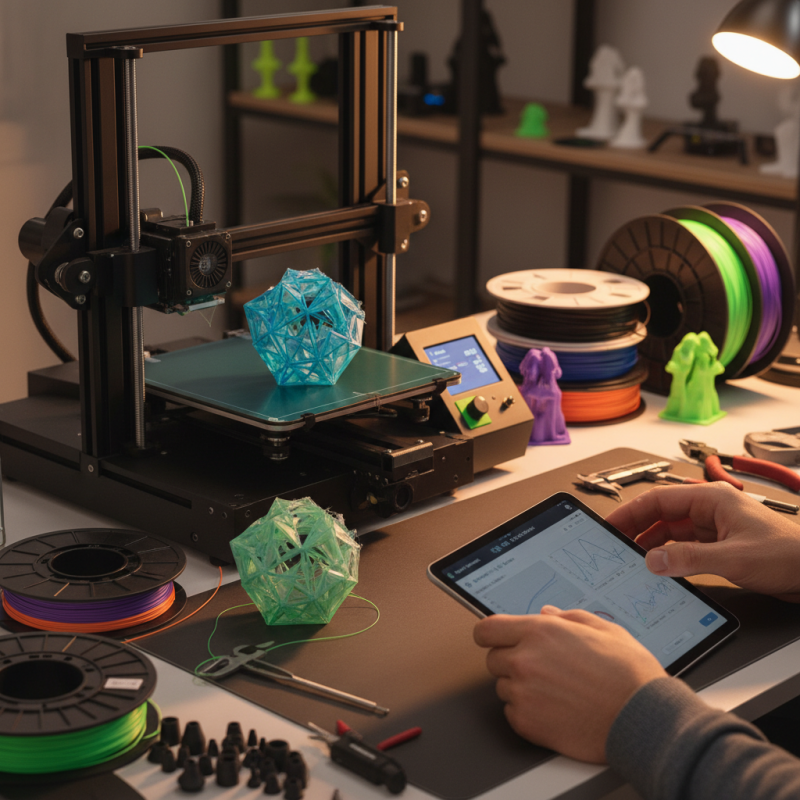
A 3D printer requires careful attention. Filament type matters. Choosing the right material affects the final product. Not all prints come out as expected. Sometimes, they may fail or take longer than intended. This can be frustrating, yet it's part of the learning curve.
Observing each print closely helps. Capturing details like temperature and speed can lead to improvements. Over time, you’ll gain insight into your 3D printer’s performance. Mastering these tips can elevate your printing game. Embracing both successes and setbacks is key to becoming proficient.
Understanding the Basics of 3D Printing Technology: A Comprehensive Guide
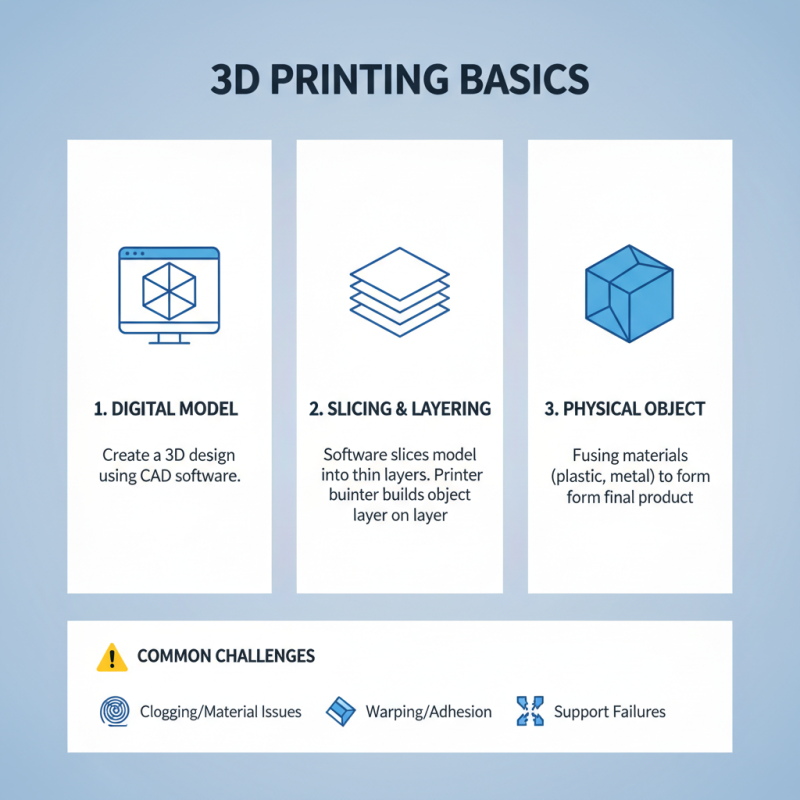
3D printing technology is revolutionizing how we create objects. Understanding its basics is crucial for successful projects. At its core, 3D printing converts digital models into physical items. This process often involves layering materials, such as plastic or metal, until an item is formed. Each layer is carefully placed, creating a solid final product. However, challenges can arise during this process.
It's important to know the common pitfalls. Printing too fast can lead to errors. Inadequate cooling might warp your prints. Calibration is also crucial. If your printer isn’t calibrated correctly, your prints may not adhere to the build plate. Pay close attention to this detail. Additionally, material selection matters significantly. Different materials yield different strengths and finishes, which can affect your design.
Experimenting is key. Not every print will come out perfect. You may find yourself scraping a finished product. Reflecting on these failures is vital for growth. Keep a log of what worked and what didn't. Over time, you'll develop a better intuition for the 3D printing process. Embrace the journey, and let the learning experience guide your next steps in this fascinating technology.
Selecting the Right 3D Printer: Key Features and Specifications to Consider
When selecting a 3D printer, consider key features like print quality, speed, and material compatibility. According to industry reports, over 50% of users prioritize print accuracy. A printer's resolution plays a critical role. Look for a device that offers at least 50 microns for detailed prints.
Material versatility is essential. Many users often get stuck with one type of filament. Opt for printers that support multiple materials, including PLA, ABS, and flexible filaments. This flexibility allows for a broader range of projects. However, using various materials can lead to challenges in adhesion and settings optimization.
Don't ignore the printer's build size. The average desktop 3D printer has a build volume of 220 x 220 x 250 mm. If your projects require larger prints, remember that you may need to compromise on somewhat lower resolution. Internet forums reveal a common tension between size and precision. Choose wisely based on your needs, and be prepared for a learning curve.
Material Matters: Analyzing Popular Filaments for Optimal Printing Quality
When diving into 3D printing, the choice of filament can greatly influence your results. PLA is a popular choice among hobbyists. It is easy to use and produces vibrant colors. However, it can be brittle. You might encounter challenges with overhangs or complex designs. Balancing rigidity and flexibility can be tricky.
ABS is another widely used filament, known for its durability. It handles heat better compared to PLA but emits fumes during printing. Proper ventilation is crucial. You may need to experiment with the printing temperature. Finding the sweet spot can prevent warping, but this may take time and effort. Each filament type demands its own considerations.
TPU is yet another option, offering flexibility and resilience. It is perfect for functional parts. However, printing with TPU requires precise settings. Relying too heavily on one filament can limit your project's potential. Exploring various materials can lead to unexpected and satisfying results. Embrace the learning curve as part of your 3D printing journey.
Calibration Techniques: How to Achieve Precision and Accuracy in 3D Printing
Calibration is crucial for precision in 3D printing. According to a report by the Additive Manufacturing Industry, poorly calibrated printers can lead to issues, such as warping or layer misalignment. Up to 40% of failed prints are due to calibration errors. This emphasizes the importance of getting calibration right.
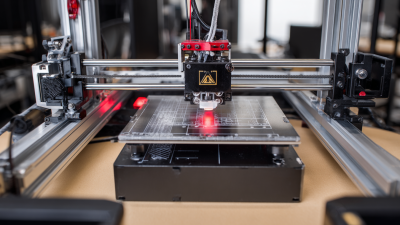
Regular checks on bed leveling can make a significant difference. Even a slight tilt can ruin the first layers of a print. A simple paper test can help gauge the gap between the nozzle and the print bed. Adjusting this can vastly improve adhesion. Additionally, nozzle temperature plays a vital role. A temperature deviation of just a few degrees can alter material flow and print quality.
While many users rely on default settings, they often miss the benefits of fine-tuning their parameters. Not all filament behaves the same way. Some users report dissatisfaction after multiple failed trials. Testing different temperatures and speeds can lead to better outcomes. A refined approach to calibration can ensure more successful prints.
Post-Processing Tips: Enhancing Your 3D Prints for Professional Quality Results
Post-processing is essential for achieving professional-quality 3D prints. Many hobbyists underestimate its importance. According to a recent industry report, nearly 40% of users are dissatisfied with their final print appearance. This dissatisfaction often stems from a lack of post-processing techniques.
Sanding is a common method to improve surface finish. Using fine-grit sandpaper can smooth rough edges. However, it's time-consuming and requires patience. Many beginners rush this step, leading to uneven surfaces. Another effective technique is painting. A well-applied primer can enhance details and colors. Yet, improper application can result in drips or uneven layers.
Support removal is another critical step. Leaving support structures attached can lead to unsightly marks. Removing them carefully is crucial. Many users report damaging their prints during this process. Research shows that 70% of failures in finishing arise from improper support removal techniques. Consider these tips to elevate the quality of your 3D prints.
Top 10 Tips for Using a 3D Printer Successfully
Related Posts
-
Unlocking the Future of Manufacturing Through 3D Machine Printing Innovations and Industry Transformations
-
Exploring the Revolution of 3D Machine Printers for Custom Manufacturing Solutions
-
Ultimate Guide to Top 3D Machine Printers: A Comprehensive Comparison for Global Buyers
-
Unlocking the Secrets to the Best 3D Systems Printers for Your Business Needs
-
Revolutionizing Prototyping: How 3D Systems Printers Are Transforming Manufacturing Efficiency
-
Why Invest in a 3D Printer: Benefits, Applications, and Tips for Beginners